






Effortless customer support with Live Guide co-browsing software
Deliver secure, real-time guidance right in your customers’ browser with no downloads required.
Unparalleled Flexibility and Personalized Support
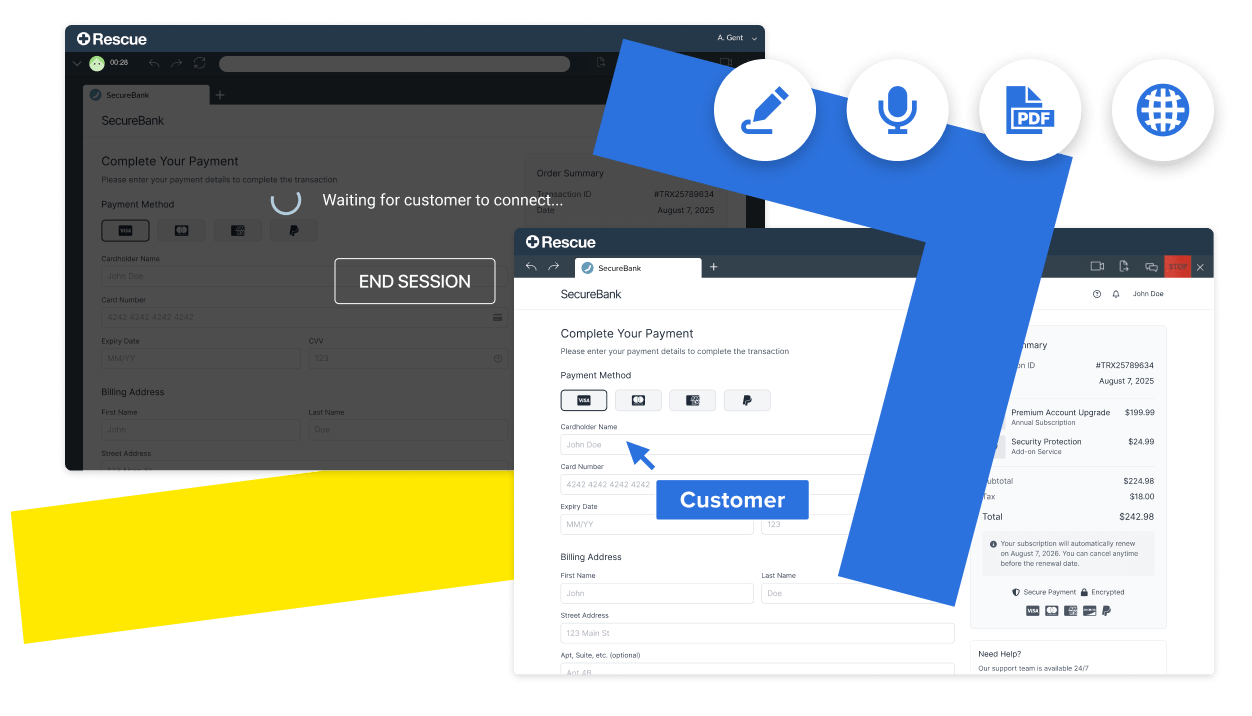
- Any Web Page, Browser, or Device: Give Customers the freedom to co-browse any web page using their preferred browser on any device - including mobile through our SDK - so they get help how and where they need it.
- No Downloads Required: Unlike meeting or remote support tools, customers join instantly with a single click—no apps or downloads required.
- PDF Document Support: Open PDF files within a co-browsing session and use annotations to help guide customers.
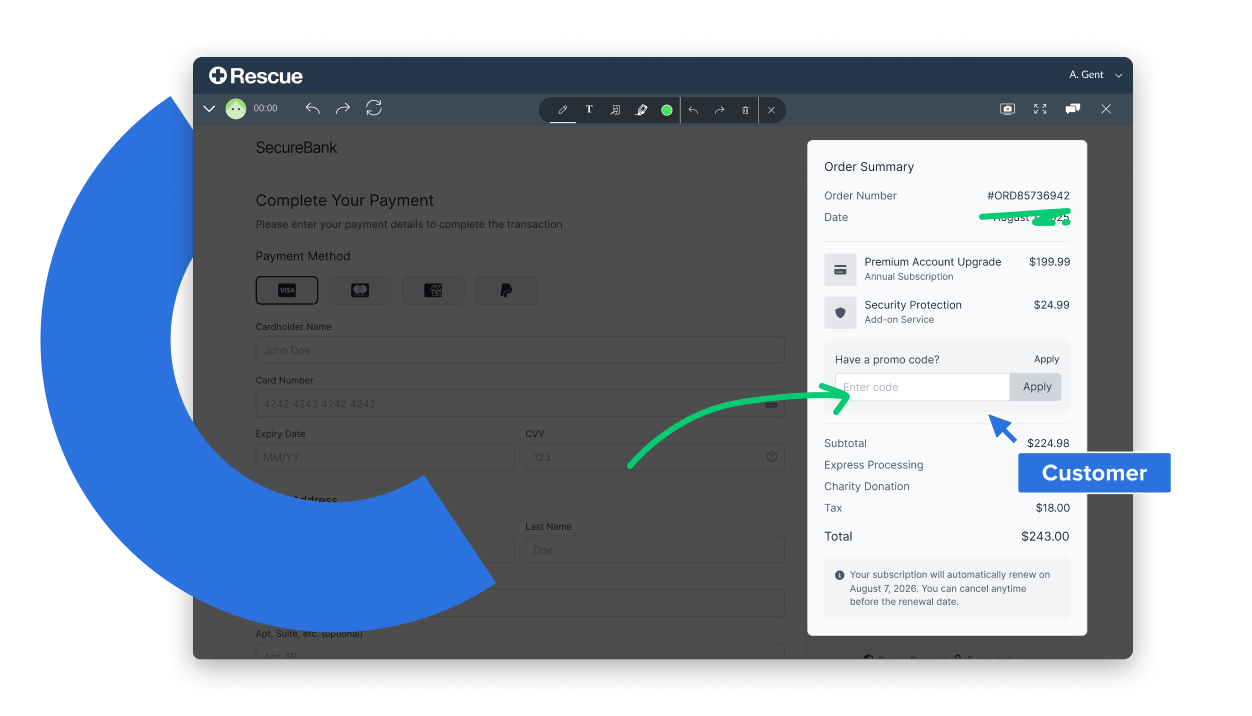
- Named Cursors and Annotations: Clarify technician actions with labeled cursors and highlight key areas by drawing directly on the customer’s screen.
- In-Session Chat: Quickly and accurately communicate information that’s easier to see than say, like complex model numbers.
- Localization: Make your customers feel more comfortable by displaying messages and labels in their language.
Enhance Every Interaction with Video & Voice
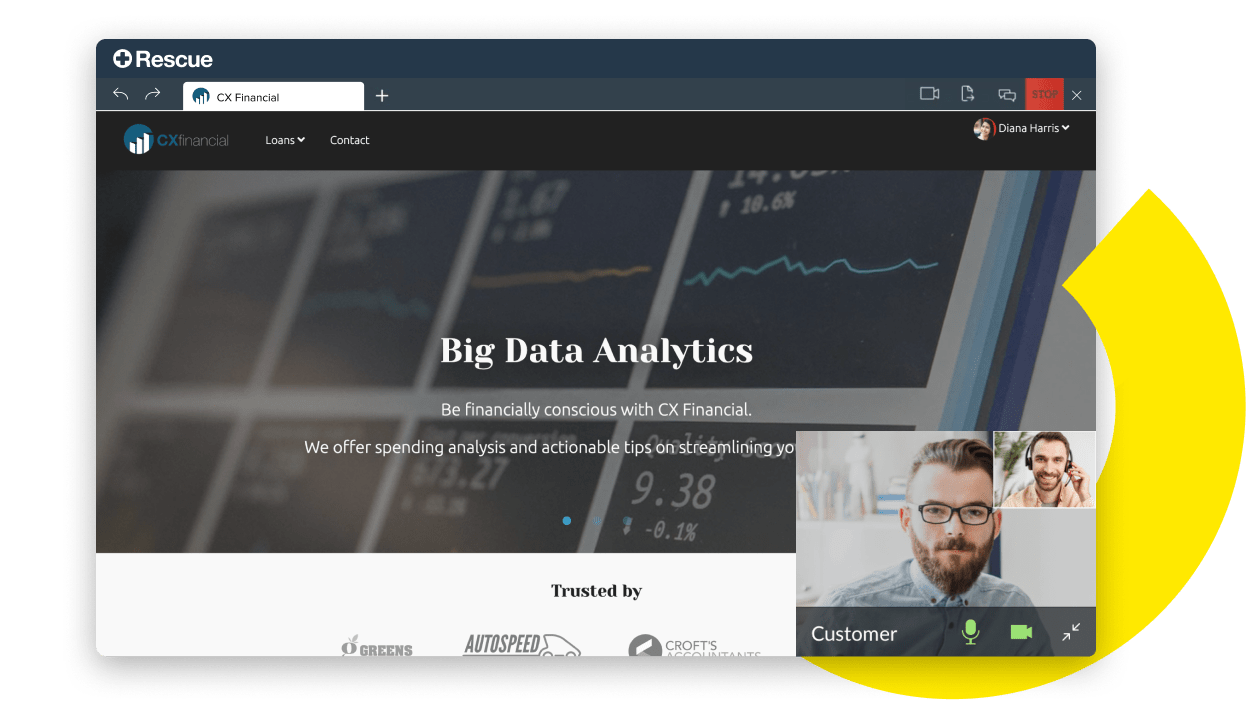
- Two-Way Video: Create a more personal interaction, replicate in-person experiences, or show your customer physical products with real-time video.
- Voice (VoIP): Use in-session VoIP for a true “show and tell” engagement. Personalize the conversation and build a connection.
Security You Can Trust
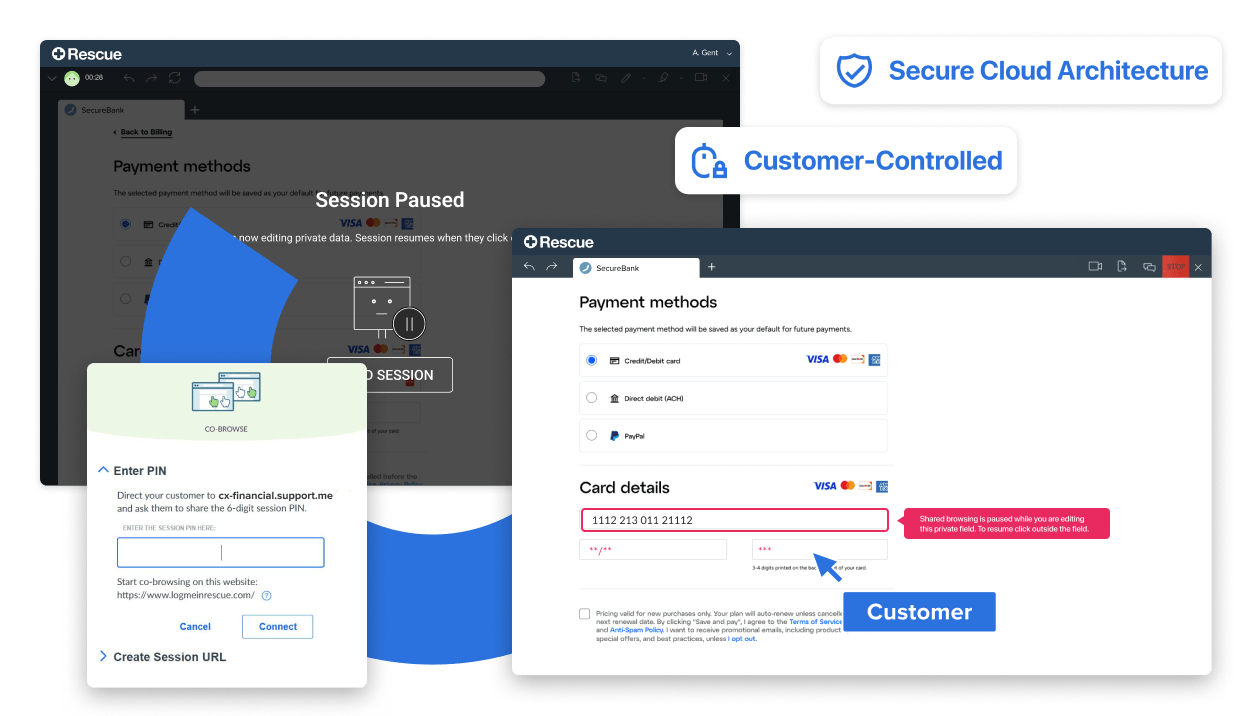
- Secure Cloud Architecture: Architected for the most secure experience, connecting to an isolated browser in the cloud, never to the end user’s device,
- Data Masking: Automatically hides sensitive information and encrypts every session, ensuring agents never see private customer data.
- Button Blocking: Prevents technicians from clicking certain buttons on a co-browsed website or submitting forms on the customer’s behalf.
- Account-Level PIN: Customers give agents a 6-digit PIN to start co-browsing, keeping them in control. Only your agents can use the code.
- Customer-Controlled: Sessions require no downloads and can be ended by the customer at any time.
Easy Administration
- Implementation Options: Choose a codeless option for instant setup with zero implementation effort or add a single line of code to your website for one-click co-browsing wherever your customers need support.
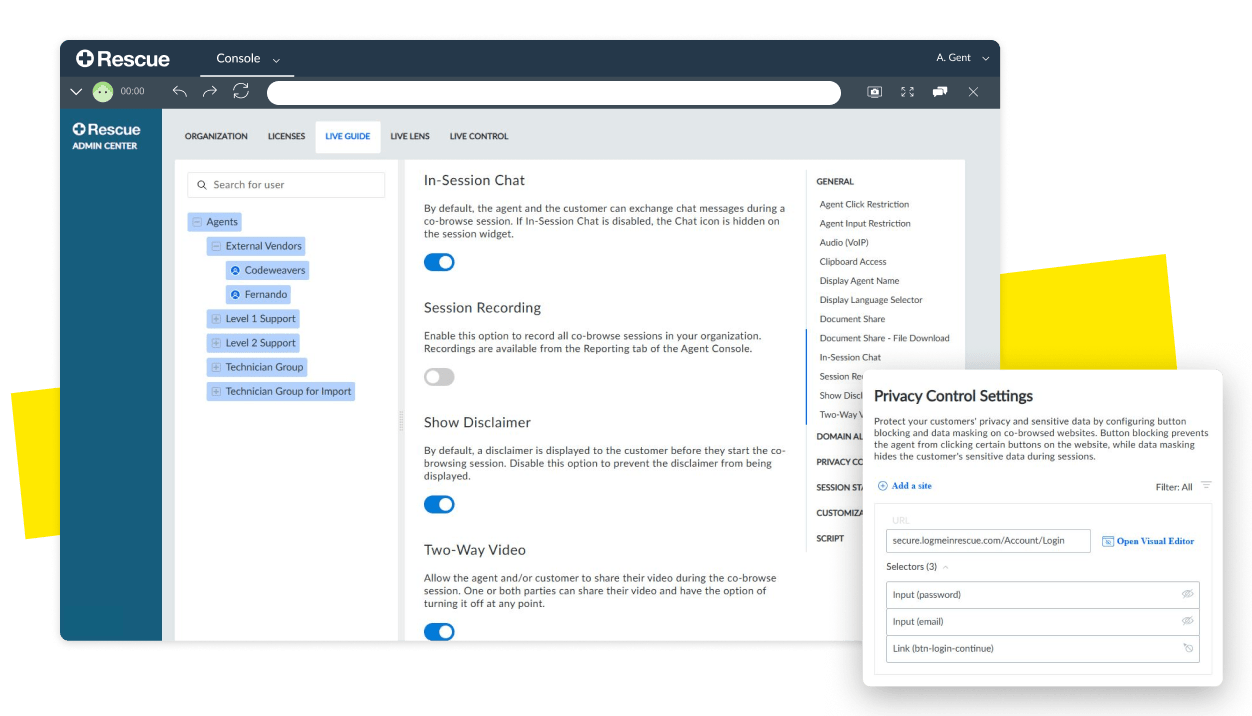
- Admin Controls: Take control of your solution with granular reporting options, whitelisting, and customizations.
- Agent Permissions: Restrict what agents can do during a co-browsing session for enterprise-level control.
- Session Recording: Record co-browse sessions for quality assurance/audit purposes, encrypted for security.
- Microsoft Dynamics Integration: Seamlessly layer co-browsing software into your existing Microsoft Dynamics Omni-channel support.
What Makes Rescue Live Guide Different?
Solves Your Real Use Cases
Purpose-built for CX
Worry-free Security
See What Customers Love About LogMeIn Rescue

See how Rescue Live Guide can transform your customer support.
Request your personalized demo now and empower your team to deliver seamless assistance right when it matters most.